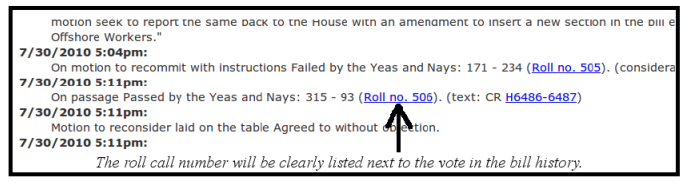
The most important feature of web importation - the ability to import the votes cast by members of congress - is contingent upon the correct roll call number being assigned to vote. If you fail to input any roll call number into admin, no votes will be imported. If you input the wrong roll call number, the wrong votes will be imported. Therefore, it's extremely important that you know how to correctly identify the roll call number and type that number into the roll call text box of the status that you're work on in admin. The roll call numbers are listed fairly conspicuously next to the vote in the bill history, which represents the link to the vote breakdown. Here is an example:
- U.S. Congress - HR 5851 (House Passage), 2010.
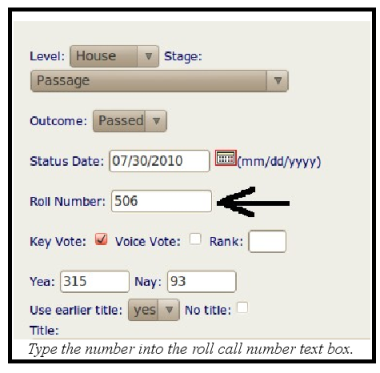
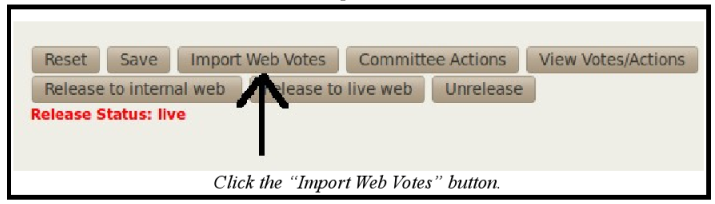
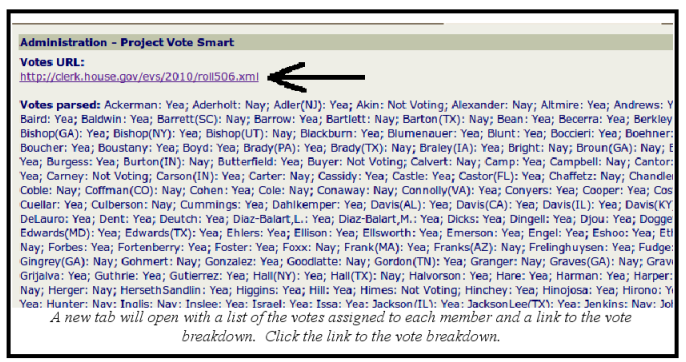
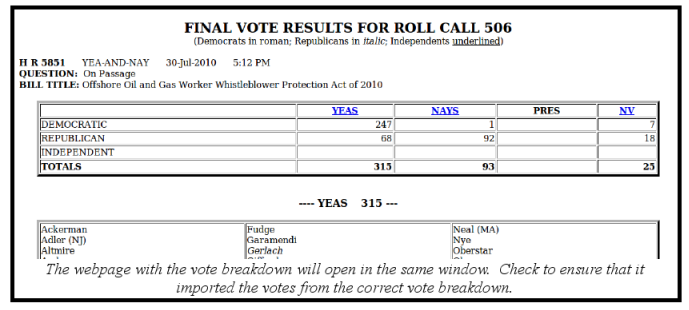
If the correct roll call number has been entered, you may proceed to import the votes by clicking the "Import Web Votes" button. Just as you're required to save the status and reopen it before entering the votes for a state vote, you also must save and reopen the status before importing the votes for a congressional vote. After you click the "Import Web Votes" button, a new tab will open with a list of the votes assigned to each member and a link to the vote breakdown at the top of the screen. Always click the link to the vote breakdown to ensure that it incorporated the appropriate votes. Using the aforementioned example, here is the process for importing the web votes after the roll call number has been entered and the status has been save and reopened: