Amending Individual Members as Sponsors and/or Cosponsors
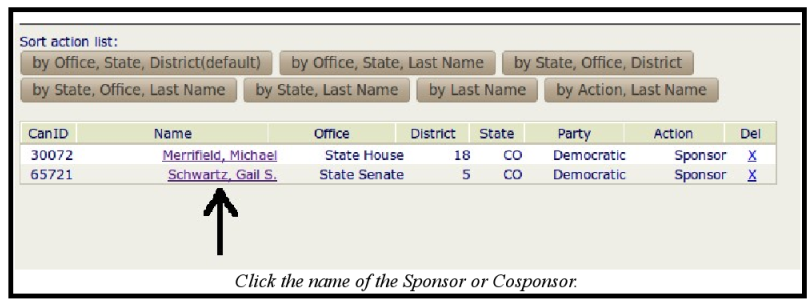
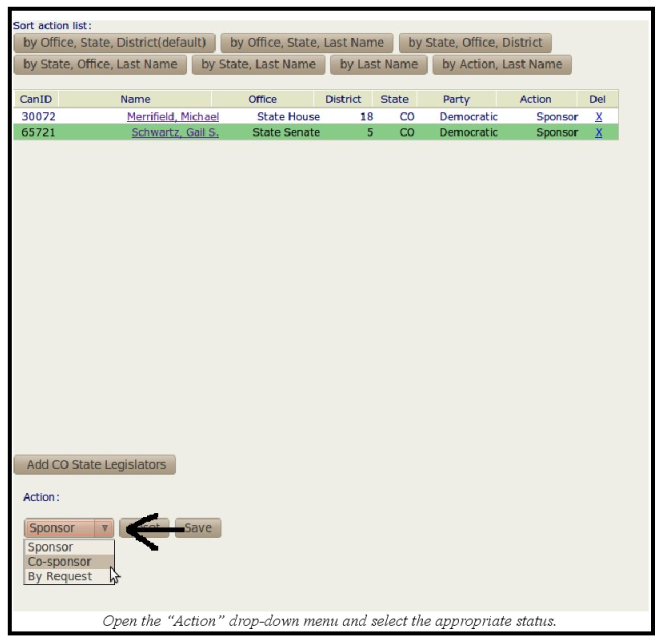
Amending the assigned status as a sponsor or cosponsor is very similar to adding them as sponsor and cosponsor. The difference is the steps within the Votes/Actions window. You can click on the sponsor or cosponsor's name, which will open an "Action" drop-down menu below where you can change the status, much like you can a "Yea," "Nay," or "No Vote" selection when dealing with the Votes/Actions window of a key vote status. Here is an example:
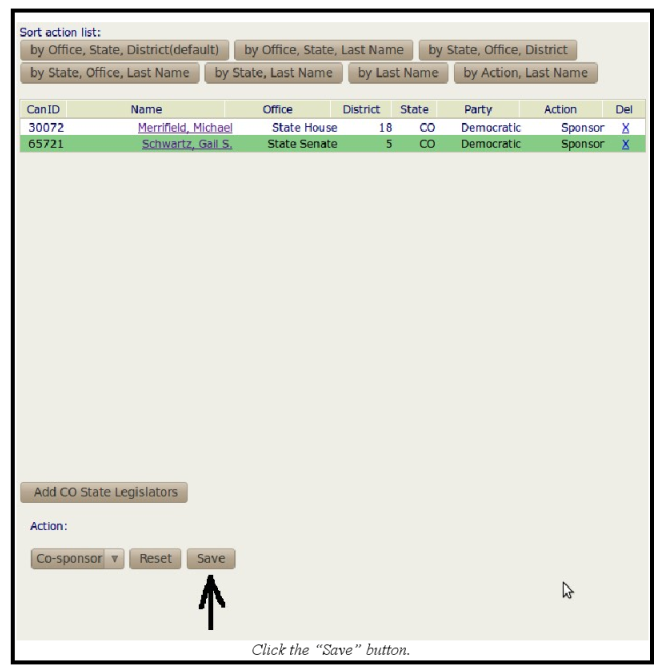
Clicking the "Save" button is essential, because unlike adding sponsors and cosponsors, amending the action is not automatically saved.
