Removing Individual Members as Sponsors and/or Cosponsors
Deleting members currently assigned a sponsor or cosponsor action is very similar to adding them as sponsor and cosponsor. The difference is the steps within the Votes/Actions window. You can click the "X" button listed next to the member's "Action" (sponsor or cosponsor), which removes them entirely from the list of sponsors and cosponsors, much like you can when dealing with the Votes/Actions window of a key vote status. Here is an example:
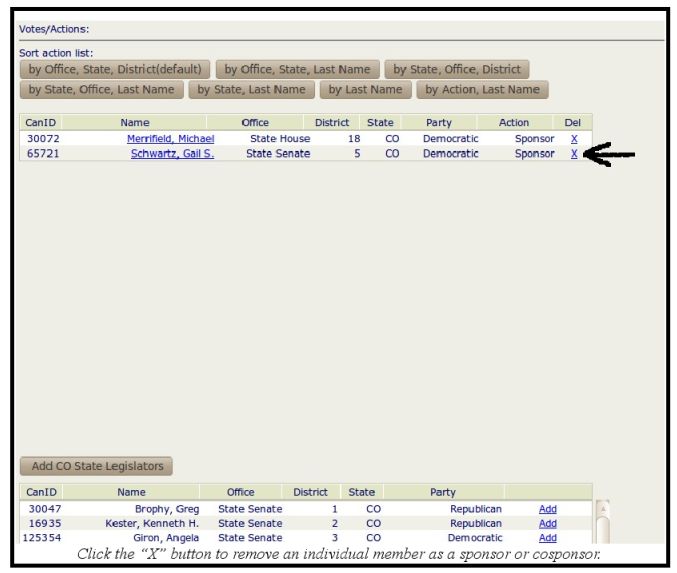
Clicking the "X" button for a specific legislator removes them from the list of sponsors and cosponsors and inserts them into the full list of legislators located at the bottom of the screen. Clicking the "X" button automatically saves this change. Although, if you clicked any of the "Sort action list" buttons to organize the sponsors and cosponsors ("by Last Name," "by Action, Last Name," etc.), this will automatically be reset following the removal of a sponsor or cosponsor.
